Focus Effect on Mega Menues
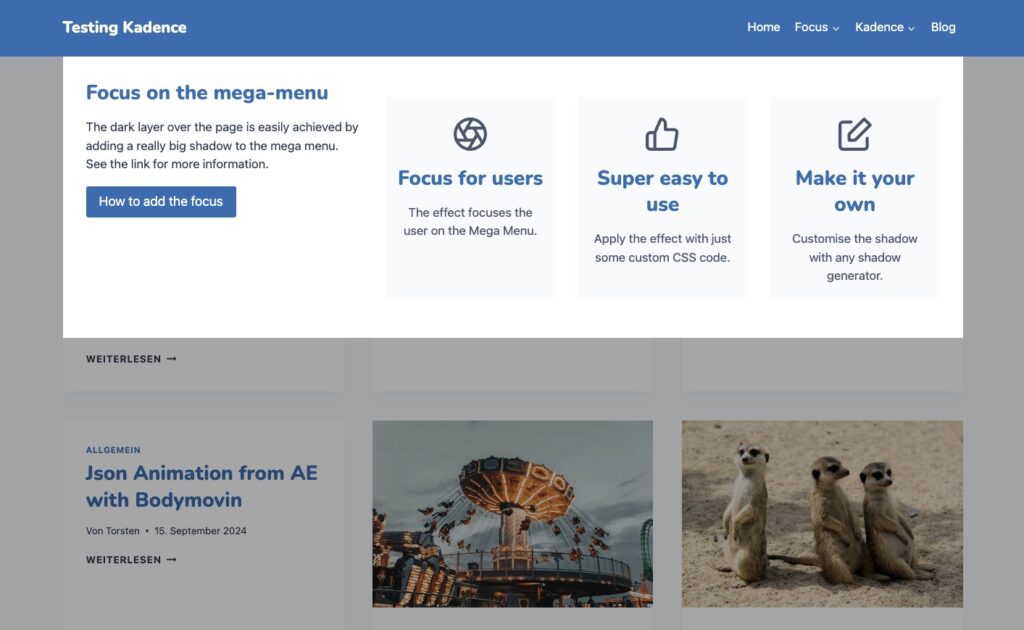
I always thought it was a great effect to focus mega menus by adding a dark layer to the rest of the page. For an example, just hover your mouse over „Focus“ in the primary menu.
CSS Code
I just realised that this is achieved by adding a really big shadow to the mega menu. Just add the following custom CSS to your Kadence theme customizer to add a focus to your Mega Menues.
/* Focus Shadow for Mega Menu */
li.kadence-menu-mega-enabled > ul {
  -webkit-box-shadow: 0px 6000px 0px 6000px rgba(0,0,0,0.35) !important;
  -moz-box-shadow: 0px 6000px 0px 6000px rgba(0,0,0,0.35) !important;
  box-shadow: 0px 6000px 0px 6000px rgba(0,0,0,0.35) !important;
}
You can change the rgba colour to suit your needs.
Kadence Design Settings
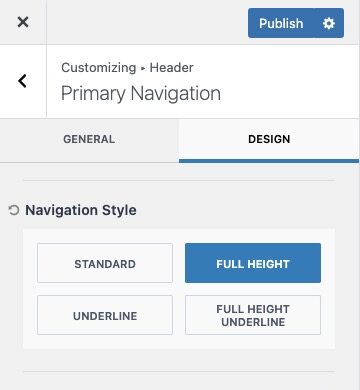
Works great with Kadence, but check that you have set the Navigation Style in the DESIGN settings of your Primary Navigation to FULL HEIGHT or FULL HEIGHT UNDERLINE, otherwise the shadow will overlay parts of your header, which will look strange.